




This page is Curator's map: where everything sits on the screen, how a robot is born, how you start a run, what a job is and what a trigger does. It is written for process analysts — you do not need to know how to program. Whenever a technical term appears, it is explained right there. Names in quotes are the texts on the screen.
The detail of how the artificial intelligence builds the robot is in the AI Chat (Agent) guide. Queues and interpreters have their own pages. Here the focus is the house: the menu, the project and day-to-day operations.
The menu sits on the left. Each item opens a module. You do not need to memorize them all at once — pick by what you need to do now.
Hover to pause. Click to watch again.
| Menu item | What it is for |
|---|---|
| Automation | Create, open and run the robot. The operations panel. |
| Agent (AI Chat) | Plain-language chat. The AI builds and fixes the code. Guide: AI Chat. |
| Queues | Central list of cases. Guide: Queues. |
| Interpreters | Reading recipes with AI. Guide: Interpreters. |
| Benchmarks | Compare AI models on real cases. Guide: Benchmarks. |
In Curator, agent, robot and project point to the same thing: the set of files of a specific automation. An agent opens a website, downloads an invoice, types into a system, reads a PDF and writes the result — on its own, after you taught the process.
The AI Chat only works with a project open. Without a project, the screen shows "No agent open" and the buttons to create, import or open.
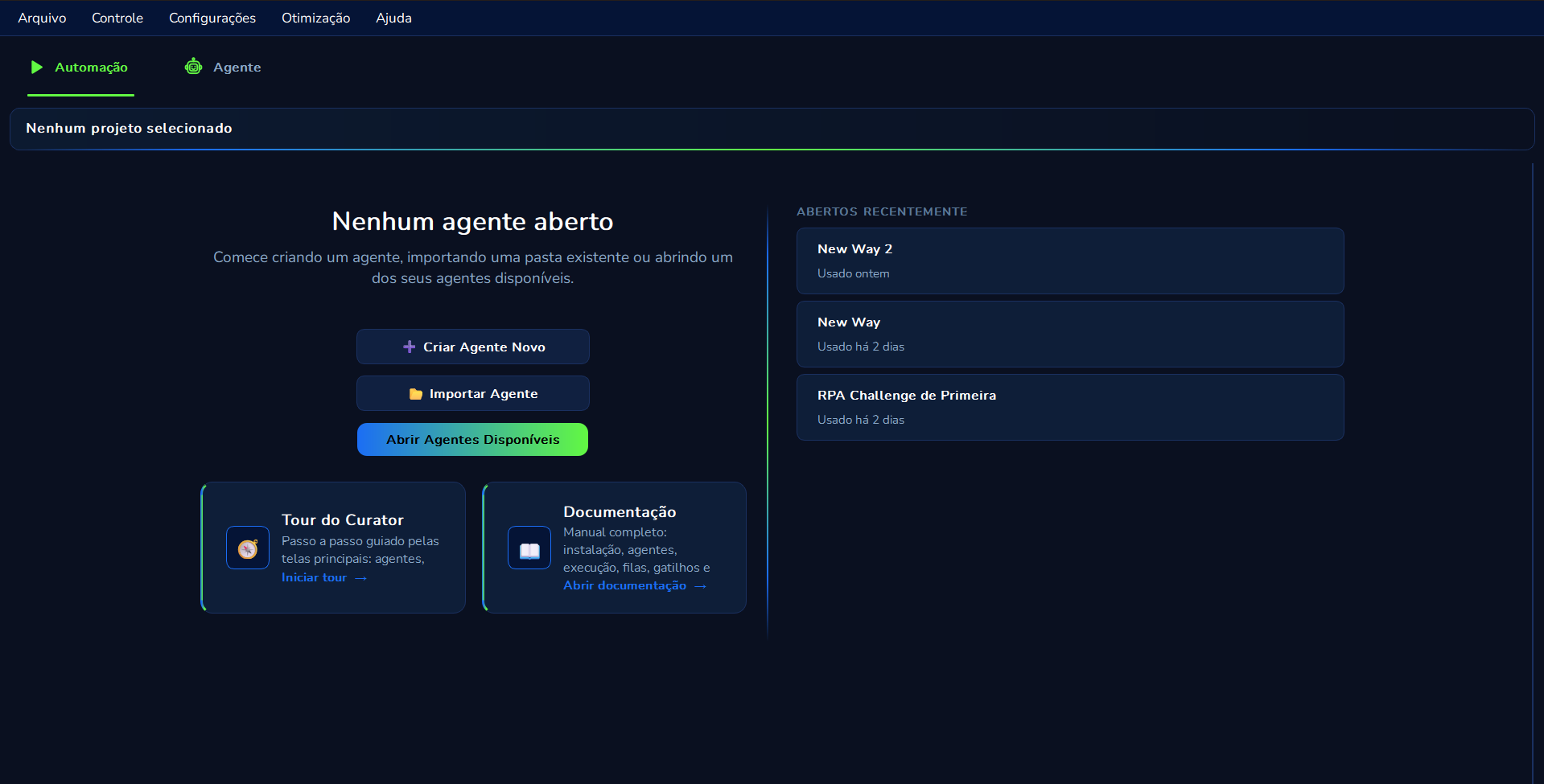
At the top, the band warns "No project selected". In the center, the title "No agent open". On the right, "RECENTLY OPENED" lists the last robots you worked on.
Three paths on the empty screen:
| Button | What it does |
|---|---|
| "Create New Agent" | Starts a robot from scratch, choosing an architecture model. |
| "Import Agent" | Brings in a project folder that already exists on your computer. |
| "Open Available Agents" | Shows the list of registered robots for you to choose one. |
Hover to pause. Click to watch again.
When creating a new agent, Curator asks you to choose an architecture model — a ready starting point, not the AI "brain". The screen shows three cards:
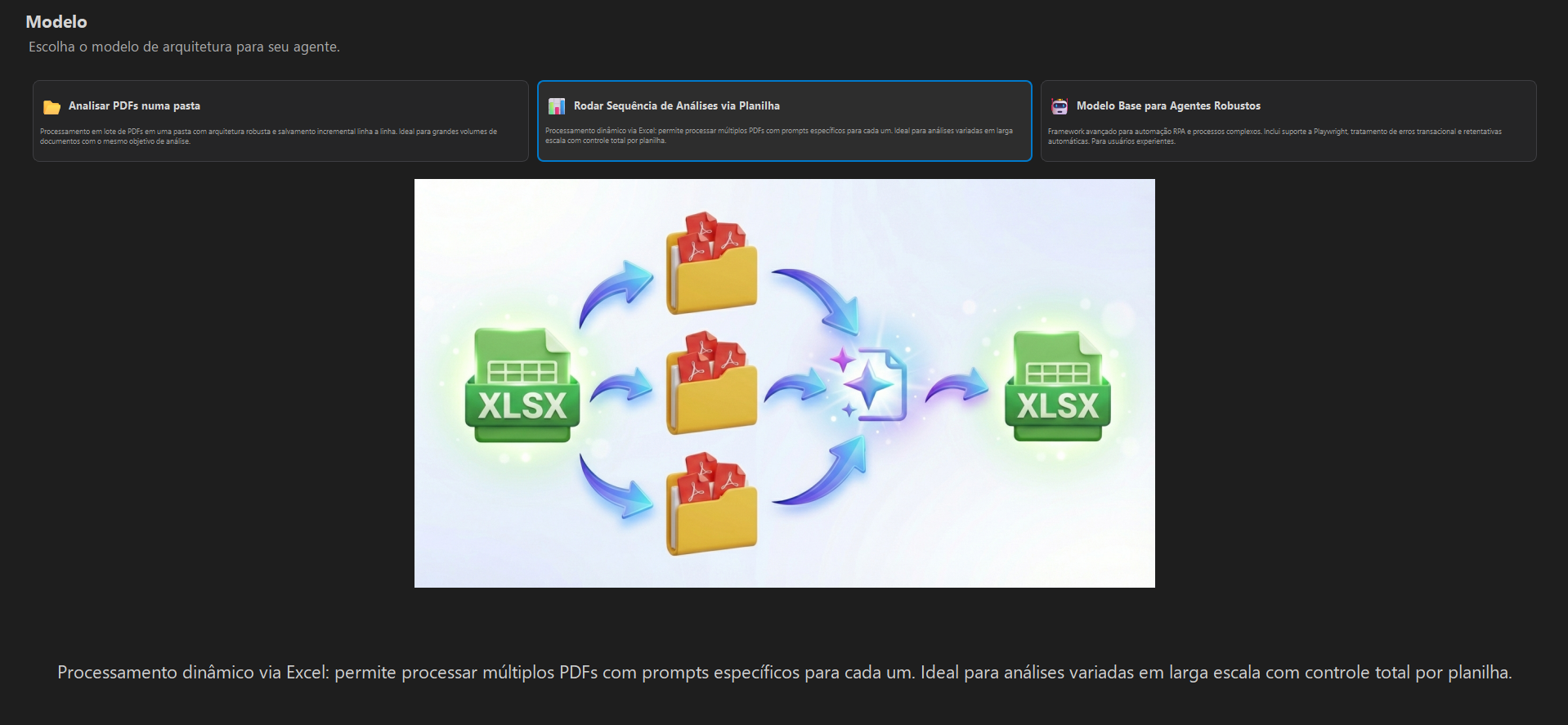
| Model on screen | When to use |
|---|---|
| Analyze PDFs in a folder | Many PDFs in the same folder, with the same analysis goal. Saves the result line by line. |
| Run a sequence of analyses via spreadsheet | An Excel spreadsheet drives the batch: each row can have a document path and a different prompt. |
| Base model for robust agents | Custom RPA: websites, systems, Playwright, retries. For those who will build the flow with the AI Chat. |
There are two kinds of "edit", and mixing them up slows you down:
The one who tells the robot to run now is you, in the Automation module. The AI can create and schedule rules; it does not press Run on its own. That is a safety decision: a real run touches real systems.
Hover to pause. Click to watch again.
| Button | What it does |
|---|---|
| ▶ Run | Starts the robot and begins walking through the steps. |
| ⏸ Pause | Pauses temporarily. You can resume later. |
| ⏹ Stop | Stops the run completely. |
While running, Curator highlights the current step — the stage in progress at that moment. It lets you see where the robot is, without reading the code.
A job is the record of one run. Each time you press Run (or a trigger fires), a job is born with time, duration and final status. It is the robot's operational history.
| Status | Meaning |
|---|---|
| Success | The run finished without error. |
| Cancelled | You interrupted with Stop (or cancelled in the portal). |
| Info | Informational note about progress. |
| Failed | Error that blocked completion. Open the job and read the log. |
A trigger is an automatic firing rule. Instead of clicking Run every morning, the rule says: "run this robot every day at 7 am" or "run when a new item enters the queue".
The Chat AI can create the rule from what you describe in plain language. Who tells it to run now, outside the schedule, is still you in the Automation module.
The log is the line-by-line diary of what the robot did. It helps you understand a failure without guessing. Filter by project, search by text and export when you need to audit.
| Level | Meaning |
|---|---|
| INFO | Normal event — the robot is progressing. |
| WARNING | Attention, but the run may continue. |
| ERROR | Something went wrong at this point. |
| SUCCESS | Operation completed successfully. |
In the PDF and spreadsheet models, Curator can ask two artificial intelligences to read the same document. If the answers match, the row continues. If they diverge, the row turns yellow for you to check by hand.
Hover to pause. Click to watch again.
| Mode | How it decides | Best for |
|---|---|---|
| Exact validation | Compares text byte by byte. Must be identical. | Amounts, dates, tax IDs, codes. |
| Subjective validation | A third AI compares the meaning of the two answers. | Summaries, classifications, long texts. |
Yellow row: review both answers, look at the original PDF and, if there are many divergences, make the prompt (the instruction) more specific — for example, "extract the total amount with two decimal places".
