
Builds
It edits the robot’s code. You approve each change before it sticks.




A Windows application. You write what you need in plain language. The artificial intelligence builds the automation, opens the browser and starts working — on your company’s machine.
It edits the robot’s code. You approve each change before it sticks.
It studies the project and proposes a path — without touching a file yet.
It answers questions about the robot. Nothing is changed.
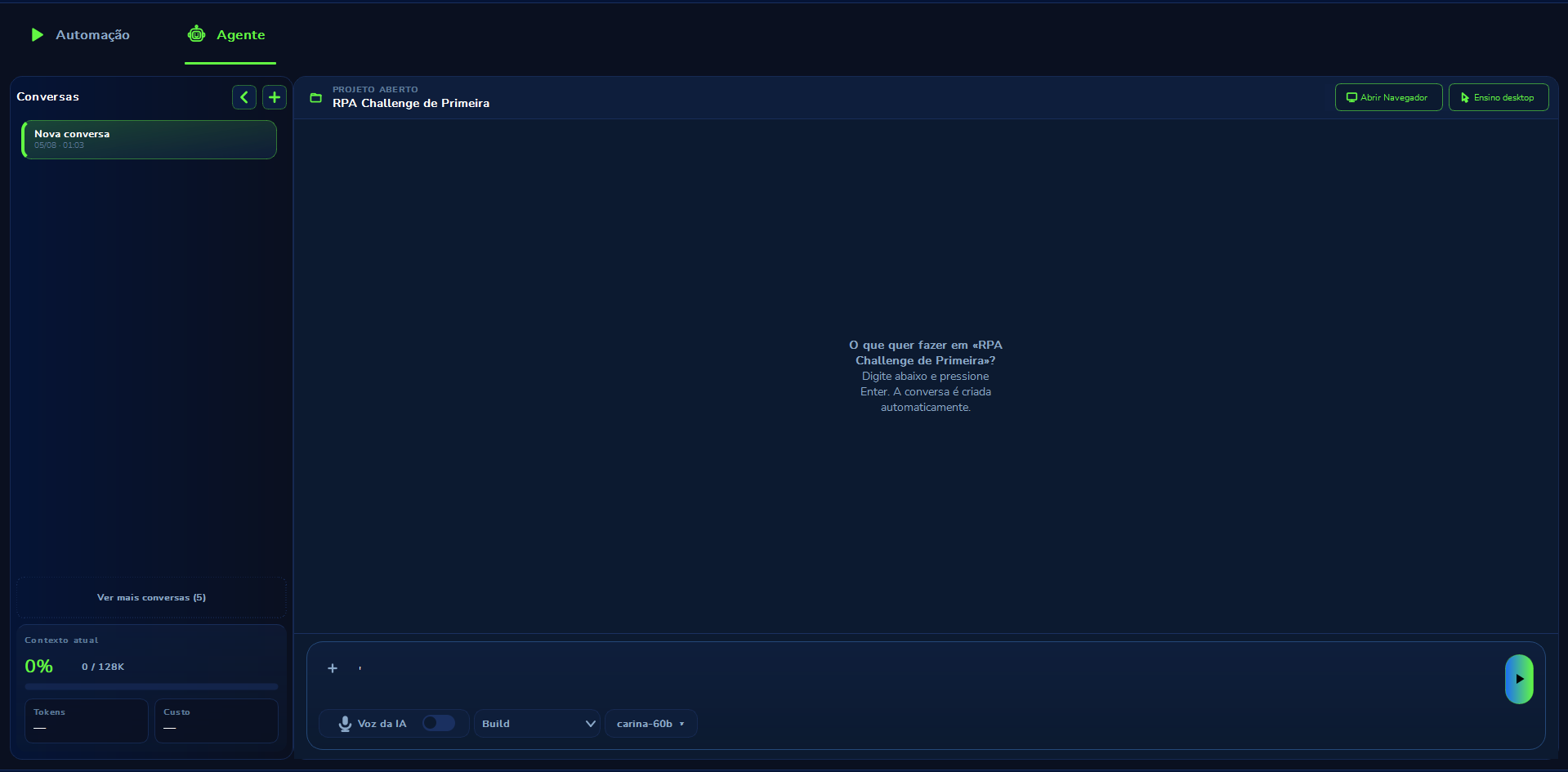
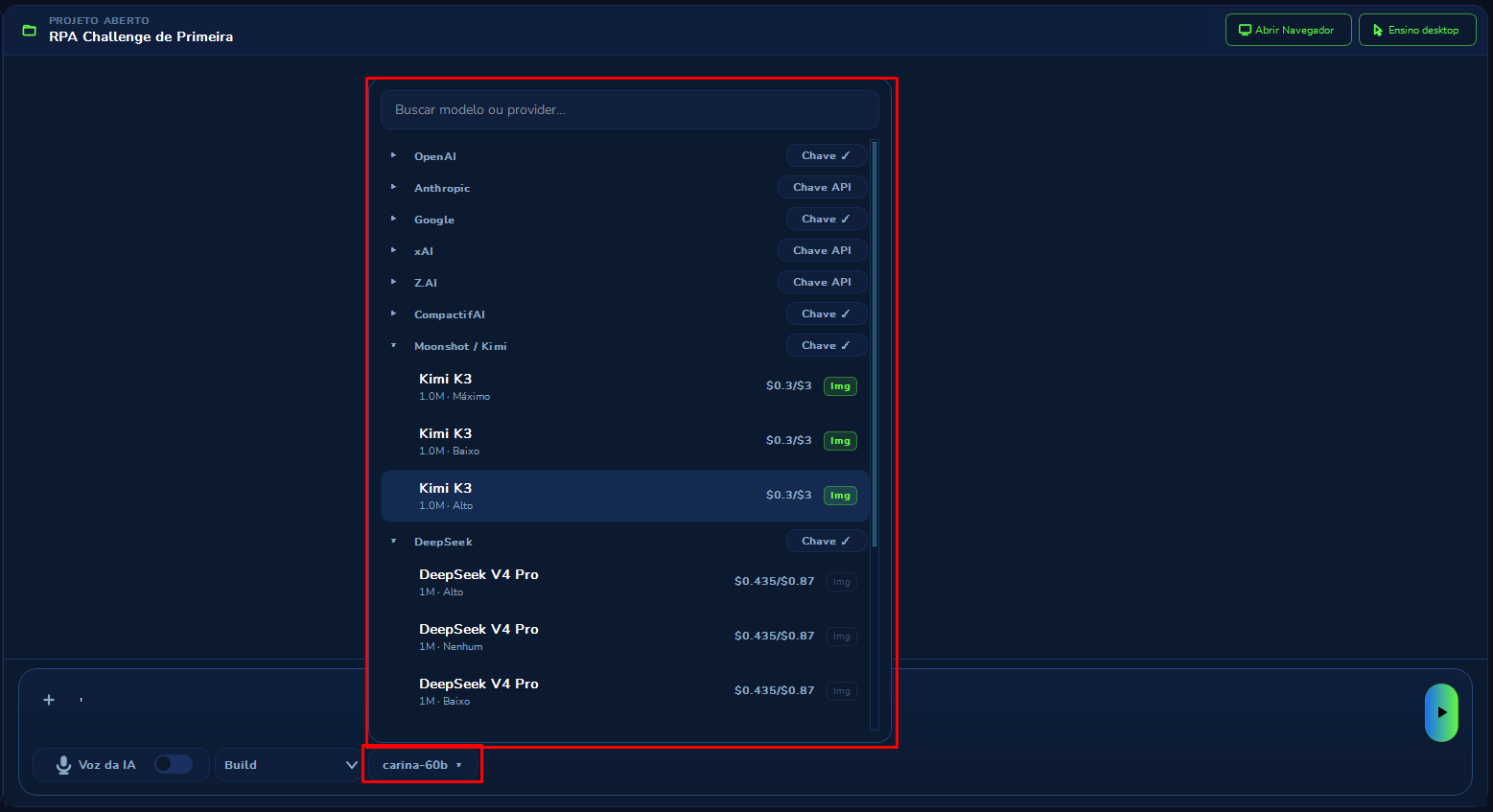
In the Agent tab you write what you want. The conversation is created on its own. In the footer you pick Build, Plan or Chat, turn on AI voice if you want to listen, and switch the model without leaving the screen.
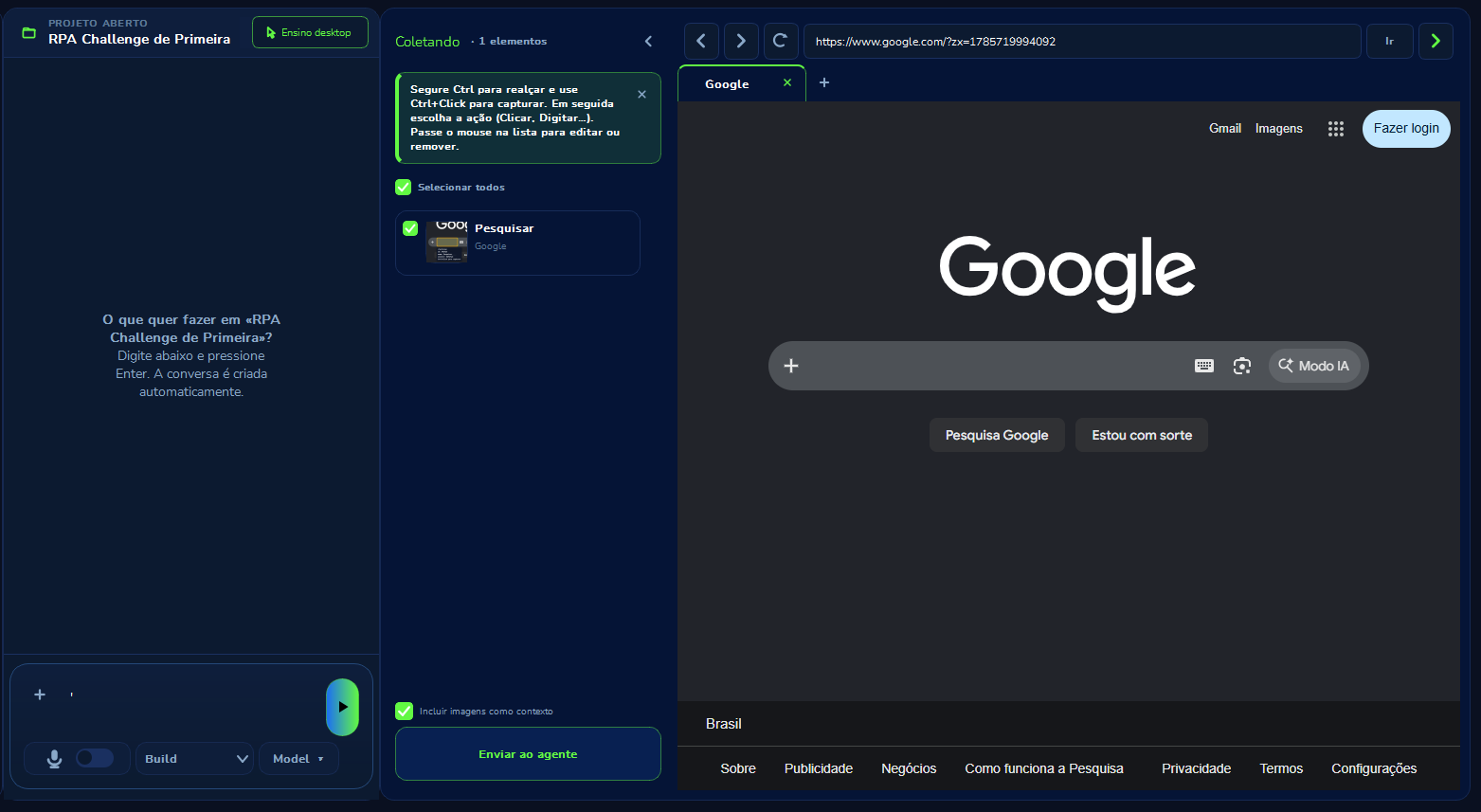
Ctrl+click captures the button or field. You pick the action — click, type — and send it to the agent. The selector editor suggests the most stable path, with a score, so the robot does not break at the first site change.
A spreadsheet, a system, a list. The Dispatcher (the program that puts items on the list) reads the source and creates one item per case. A Performer on each PC (the program that picks and works) reserves one item — two machines never take the same case.
Hover to pause. Click to watch again.
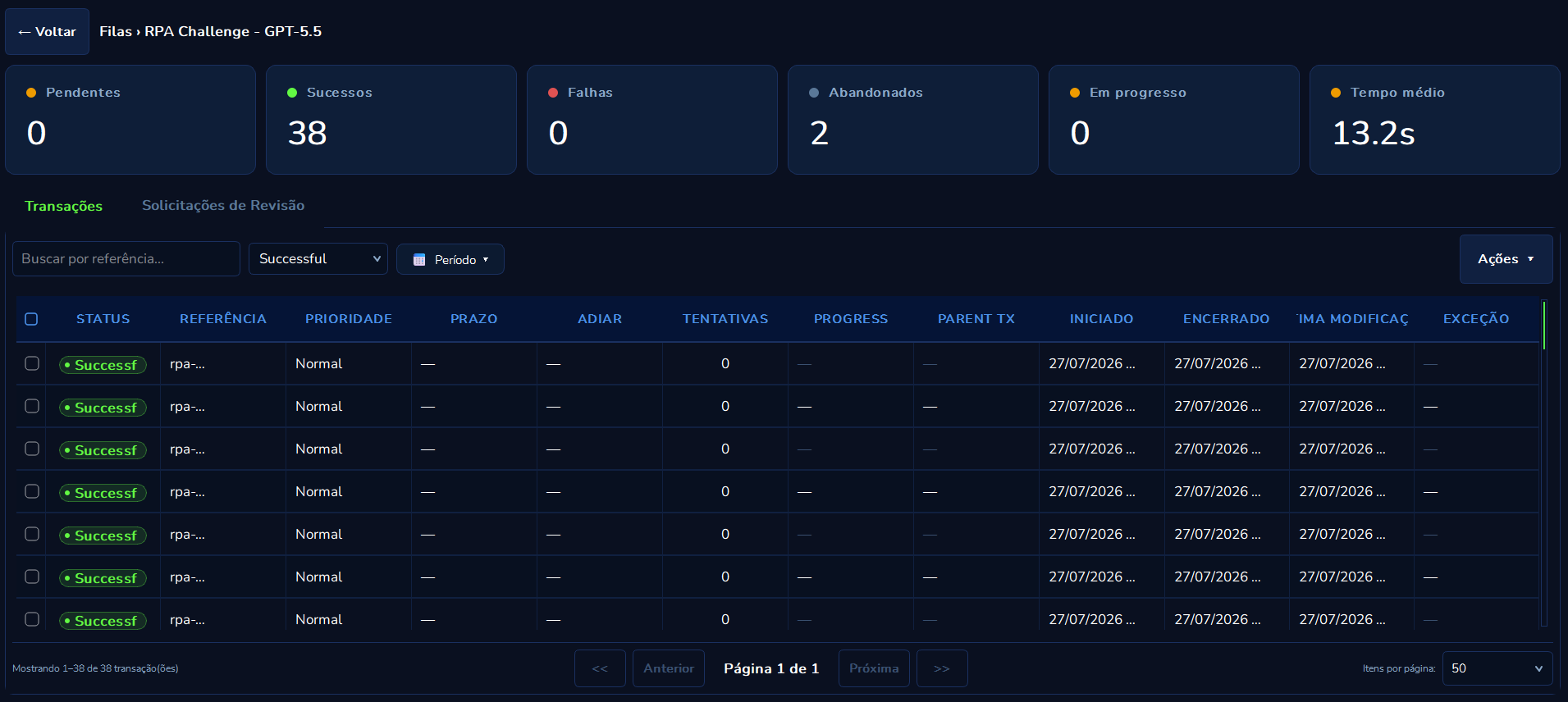
Priority, deadline, attempts and the time it started and ended. If it fails, you reprocess only that item — not the whole spreadsheet.
The document goes in. Each step has its own instruction and model. The next step reads what the previous one found — Type, Authority, District — and at the end the result is assembled for the robot to write into the system.
Hover to pause. Click to watch again.
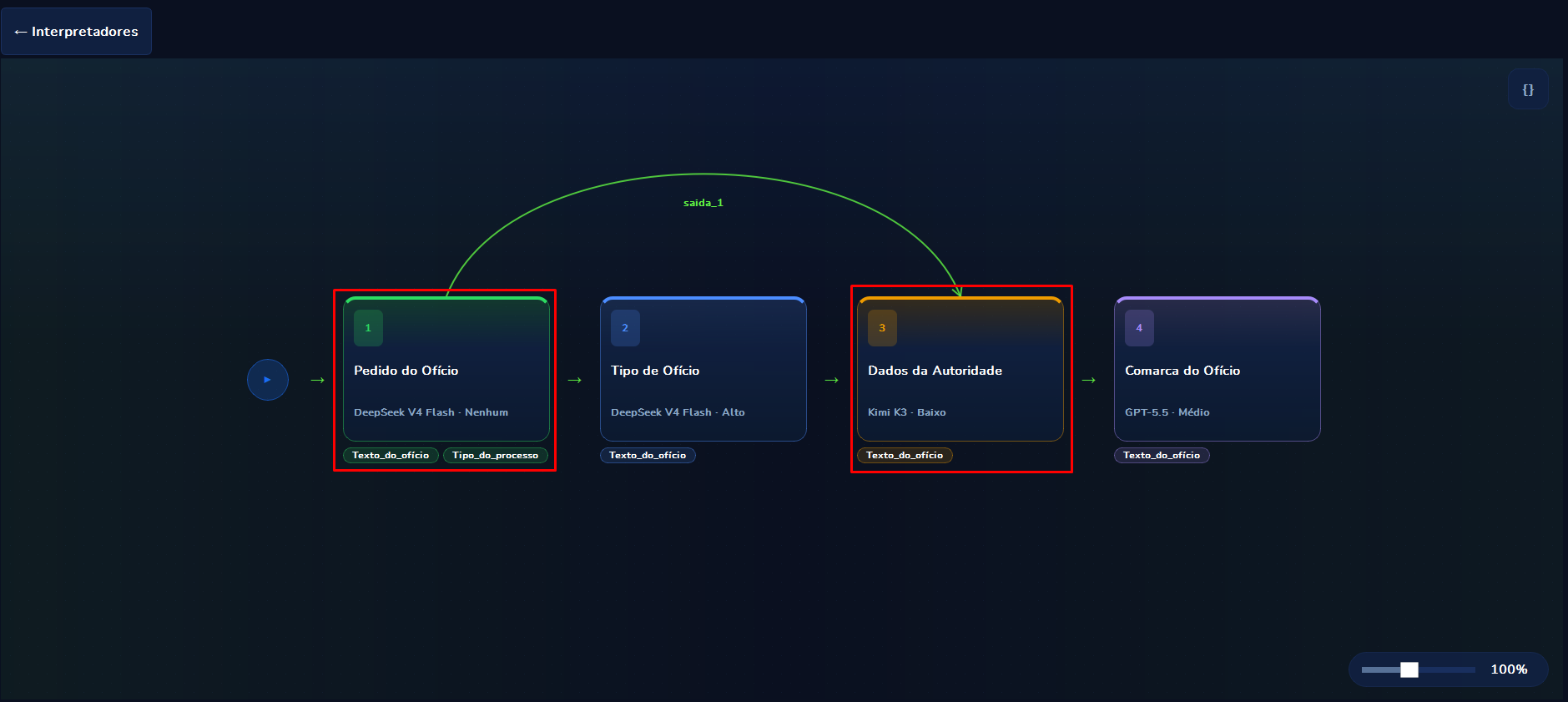
Each block is a step. The arrow shows what is passed on. Analyst and developer look at the same recipe.
You build a batch of real cases with the right answer. Curator runs the same batch on several models and shows three numbers: accuracy (how many were right), cost and speed. The choice stops being an opinion.
Each Windows PC installs Curator and can run a different robot at the same time: memos at the front desk, invoices in finance, records in legal. It is not the same queue on three screens — the processes do not mix.
Hover to pause. Click to watch again.
DeepSeek, OpenAI, Anthropic, Google Gemini, Kimi, CompactifAI, xAI and Z AI in the same menu. The key stays on your machine: Curator calls the provider on your account, not ours.

30 days free. One Windows installer. The run happens on your machine.